Navigating the Platform
A quick overview of the Speakly.PRO interface and where to find things.
A quick overview of the Speakly.PRO interface to help you find what you need.
Dashboard
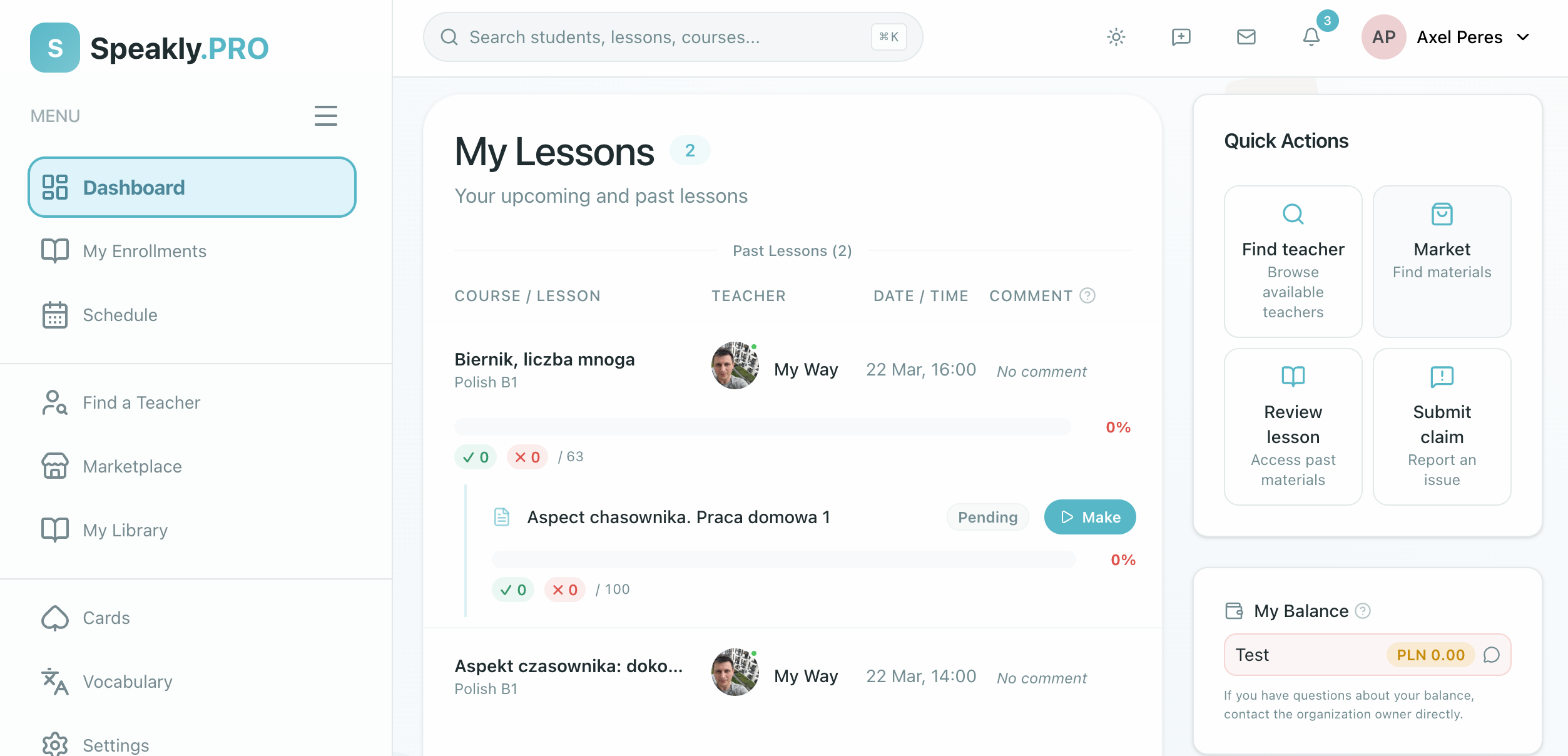
Your Dashboard is the first thing you see after logging in. Access it anytime by clicking "Platform" in the sidebar or navigating to /platform.
It shows:
- Upcoming lessons and live sessions
- Pending homework with deadlines
- Weekly progress and activity summary
- Quick actions — continue your last lesson, practice vocabulary, or browse the marketplace
Sidebar
The sidebar on the left is your main navigation:
| Section | What it's for |
|---|---|
| Platform | Dashboard (home) |
| My Enrollments | Your courses and progress |
| Studies | Lessons purchased from the Marketplace |
| Homework | Pending, submitted, and graded assignments |
| Vocabulary | Word lists and the Cards practice game |
| Schedule | Calendar with live sessions and deadlines |
| Marketplace | Browse and buy self-study materials |
Notifications
Click the bell icon in the top-right corner to see notifications about new assignments, homework feedback, session invitations, and schedule changes. Click any notification to go directly to the relevant page.
Profile and Settings
Click your profile picture in the top-right to access account settings — personal info, learning preferences, and notification preferences.
Next Steps
- Lessons & Homework — Learn how to complete learning materials
- Progress Tracking — Understand your stats and streaks